

UnitedHealthcare does not use a universal downloadable PA form — prior authorizations are submitted electronically through portals that vary by plan type. Commercial and Exchange: uhcprovider.com. Medicare Advantage: uhcprovider.com, but check eligibility first — some MA members now route to provider.optum.com. Medicaid/Community Plan: the state-specific section of uhcprovider.com. Behavioral health: providerexpress.com. Phone for all plans: 877-842-3210.
Why There Is No Single UHC Prior Authorization Form
Many billing teams search for a downloadable "UHC prior authorization form PDF" — and end up confused when no universal form exists. UnitedHealthcare handles prior authorization electronically through provider portals, and the correct submission path depends on the member's plan type.
Submitting to the wrong portal is one of the most common causes of PA processing delays. The result is an artificial denial that has nothing to do with clinical criteria — just routing.
According to the AMA's 2024 Prior Authorization Physician Survey (n=1,004 physicians), practices complete an average of 39 prior authorization requests per physician per week, with staff spending about 13 hours weekly on those requests. Getting the portal routing right the first time matters.
Do Not Submit to the Wrong Portal
UHC, Optum Health Networks, and Community Plans (Medicaid) use different portals. Submitting a Medicare Advantage PA through the standard commercial UHC portal can result in a processing delay or routing mismatch denial. Always verify the member's plan type before submitting.
UHC Prior Authorization Portal Map by Plan Type
The correct starting point varies by the member's coverage type. Here is the full routing map for 2026:
Prepare this appeal packet with your team.
Draft the appeal, coordinate missing documents, and approve the reviewed packet. Keep your clearinghouse; your practice checks deadlines and submits through the payer’s accepted channel.
First 3 appeals free, then $20 per appeal. Start with your denial letter or EOB and available records. No meeting or clearinghouse connection required.
| Plan Type | Correct Portal | Phone | Notes |
|---|---|---|---|
| Commercial / Individual Exchange | uhcprovider.com → Sign In → Prior Auth & Notification | 877-842-3210 | Standard UHC portal; most services submit here |
| Medicare Advantage (most) | uhcprovider.com — run eligibility check first | 877-842-3210 | Some MA members now route to provider.optum.com — check eligibility per patient |
| Medicare Advantage — Oncology (from June 2026) | provider.optum.com → Prior Authorization | OptumRx: 1-800-711-4555 | Chemo, radiation, oncology procedures route to Optum portal starting June 2026 |
| Medicaid / Community Plan | uhcprovider.com → Health Plans by State → Community Plan → Prior Auth | State-specific | PA requirements governed by state contract — check state-specific page |
| Behavioral Health (Optum) | providerexpress.com → Prior Auth | 877-614-0484 | Behavioral health and substance use PAs route through Optum/Provider Express |
| OptumRx Pharmacy PA | rx.optum.com or call OptumRx directly | 1-800-711-4555 | Medication prior auth separate from medical PA — different portal |
Key 2026 change: Effective January 1, 2026, UnitedHealthcare transitioned certain Medicare Advantage administrative services — including PA management for select service categories — to Optum Health Networks. Not all UHC MA members are affected; routing depends on the specific member and service. Run eligibility verification per patient before assuming submission path. See the complete UHC prior authorization template guide for a full breakdown of the Optum routing changes.
Step-by-Step: Submitting a UHC Prior Authorization Through the Provider Portal
This walkthrough covers the standard commercial and Medicare Advantage path through uhcprovider.com.
Step 1: Log In With Your One Healthcare ID
Go to uhcprovider.com and click Sign In in the top right. Use your One Healthcare ID credentials. If your practice does not have a One Healthcare ID, register at the same site — you will need your Type 1 NPI (individual), Type 2 NPI (group), and Tax ID.
One Healthcare ID Tip
One Healthcare ID works across UHC, Optum, and most UHC-affiliated platforms. Use the same credentials whether you are submitting through the UHC portal or provider.optum.com. Do not create a separate Optum login.
Step 2: Navigate to Prior Authorization and Notification
From the provider dashboard, select Prior Authorization & Notification from the top navigation menu. You can also access it from the menu under Claims & Payments → Prior Authorizations.
Step 3: Start a New Authorization Request
Click Start a New Request and enter:
- Member ID: The UHC member ID from the patient's insurance card (format: 9-digit number, sometimes with a letter prefix for Medicare Advantage)
- Date of Birth
- Plan Type: The system will auto-identify based on member ID
The system will confirm the member's benefit plan and tell you:
- Whether the requested service requires prior authorization
- Whether you can complete the request online (most services) or need to call
- Whether the member qualifies for a Gold Card exemption (see below)
Step 4: Enter Service Details
Fill in the required fields:
- Requesting Provider NPI: Enter the individual (Type 1) NPI of the treating physician — not the group NPI — unless specifically instructed otherwise. A group NPI here is one of the most common errors causing authorization-to-claim mismatches later.
- Rendering Provider NPI: Same as requesting in most cases; specify separately for facility-based services
- Facility NPI: Required for inpatient, ASC, or hospital outpatient services
- Service/Procedure Codes: CPT or HCPCS codes for the requested service
- Diagnosis Codes: ICD-10 codes supporting medical necessity
- Place of Service: Must match where service will actually be rendered (office vs ASC vs hospital outpatient)
- Requested Dates: Enter a realistic service window — not an open-ended date range
NPI Mismatch Is the #1 Claim-Level Error
UHC's adjudication system matches the NPI on the authorization to the NPI on the resulting claim. If you authorize under a group NPI but the physician bills under their individual NPI, the claim can auto-deny as "authorization not found" — even with a valid auth number on file. Use the individual (Type 1) NPI of the treating physician consistently.
Step 5: Upload Clinical Documentation
The portal allows document uploads directly with the PA request. Do not skip this step for non-routine services.
Required clinical documentation typically includes:
- Office notes supporting the diagnosis (within 90 days for most services)
- Lab results, imaging, or diagnostic reports referenced in the request
- Documentation of failed conservative treatments (for step therapy or surgery requests)
- Letter of medical necessity if the service is atypical or high-cost
For services reviewed under InterQual criteria (UHC's review standard since May 2021), the system uses those guidelines to assess medical necessity. Submitting documentation that directly addresses the InterQual criteria for the specific service improves first-pass approval rates.
Step 6: Submit and Note the Reference Number
Once submitted, the portal generates a prior authorization reference number (also called a tracking number). Save this immediately. You will need it to:
- Check status updates in the portal
- Quote on the claim when billing
- Reference in a peer-to-peer request if the PA is denied
UHC's standard processing timelines:
- Standard (non-urgent) requests: 3–5 business days (CMS now requires standard PA decisions within 7 calendar days for MA)
- Urgent/expedited requests: Within 24 hours (requires documentation of urgent medical need)
- Concurrent reviews (inpatient): Typically same day or within 24 hours
Submission Methods Other Than the Portal
The online portal is the fastest and recommended submission path, but UHC supports alternatives:
- Phone: Call 877-842-3210. Useful for complex cases or when you want immediate confirmation. Have clinical documentation ready to fax after the call.
- EDI (Electronic Data Interchange): A batch automation solution for high-volume practices or billing systems with EDI capability. Uses the HIPAA 278 transaction set.
- Fax: Only available for commercial plans in Massachusetts, Nevada, New Mexico, and Texas. Fax number: 855-352-1206.
Check Whether Your Practice Qualifies for the Gold Card Exemption
Before spending time on a PA request, check whether your practice qualifies for UHC's National Gold Card program.
Gold Card status means:
- UHC automatically approves PA requests for ~500 designated procedure codes
- No clinical documentation or peer review required for Gold Card codes
- An advance notification (not a PA) is still required
Eligibility criteria for the Gold Card program:
- Your practice's Tax ID must be in-network with at least one UHC health plan
- A minimum of 10 eligible PA requests annually for 2 consecutive years across Gold Card-eligible codes
- A PA approval rate of 92.0% or higher across all Gold Card-eligible codes for each of the two review years
In 2025, more than 40% more provider groups qualified compared to the prior year, according to UnitedHealthcare. Gold Card status applies across Commercial, Individual Exchange, Medicare Advantage, and Medicaid plans.
The portal will indicate Gold Card eligibility when you run the authorization check for a member. If your group qualifies, you will see the option to submit an advance notification instead of a full clinical review.
2026 PA Reduction Updates
UHC announced in May 2026 that it will eliminate an additional 30% of remaining prior authorizations by end of 2026, including select outpatient surgeries, echocardiograms, and certain outpatient therapies and chiropractic care. Additionally, rural providers associated with approximately 1,500 rural hospitals will receive PA exemptions by fall 2026. Check the portal's "Is PA Required?" lookup before submitting to avoid unnecessary requests.
Common Form and Portal Errors That Cause Automatic Denials
These are the most frequent PA-level errors that generate downstream claim denials — not clinical denials, but administrative ones that are fully avoidable:
1. Group NPI vs Individual NPI Mismatch Submitting the PA under the group (Type 2) NPI when the treating physician bills under their individual (Type 1) NPI causes automatic claim denial when the auth number is quoted on the billing. Use the individual NPI of the rendering physician.
2. Incorrect Taxonomy Code Omitting or using the wrong taxonomy code on the PA request is flagged when the payer validates provider credentials. If the taxonomy code on the PA doesn't match the provider's active enrollment record, the request can be rejected or the resulting claim denied with CO-226.
3. Date-of-Service Range Too Narrow or Stale If service does not occur within the authorized date window — including edge cases where service happens on the first or last day of the range — UHC's system treats it as unauthorized. Build in a realistic window that accounts for scheduling changes.
4. Place-of-Service Mismatch Authorizing a procedure for an office setting (11) but rendering it in an ASC (24) or hospital outpatient (22) causes an authorization-to-claim mismatch. UHC tightened its adjudication matching logic in 2025 as part of an AI adjudication upgrade.
5. Incomplete Clinical Narrative Attaching a generic chart note without explicitly addressing medical necessity for the specific requested service is the most common clinical submission error. UHC reviewers (and InterQual criteria) look for clear statements linking the diagnosis to the requested treatment.
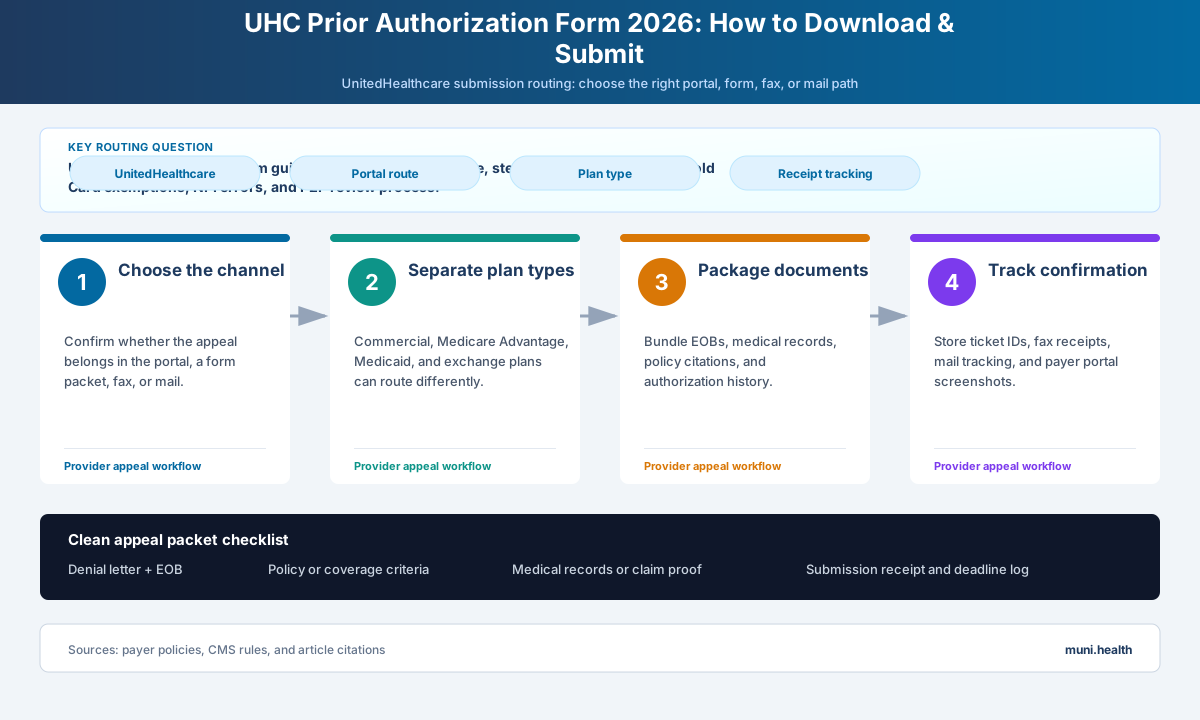
What to Do When a UHC Prior Authorization Is Denied
A PA denial is not the end. UHC allows peer-to-peer review before filing a formal appeal, and most PA-level disputes can be resolved at that stage.
Prepare this appeal packet with your team.
Draft the appeal, coordinate missing documents, and approve the reviewed packet. Keep your clearinghouse; your practice checks deadlines and submits through the payer’s accepted channel.
First 3 appeals free, then $20 per appeal. Start with your denial letter or EOB and available records. No meeting or clearinghouse connection required.
Peer-to-Peer Review
If a PA is denied, the treating physician can request a peer-to-peer conversation with the UHC reviewing physician. This is often the fastest path to reversal for clinical medical necessity denials.
How to request:
- Go to providerforms.uhc.com/PeertoPeerRequestForm.html and complete the scheduling form (takes 5–10 minutes)
- Alternatively, call UHC Provider Services at 877-842-3210 to schedule with the reviewing medical director
- Have the denial reference number, member ID, date of denial, and the treating physician's contact information ready
Important timing note: For urgent clinical PA disputes — where treatment timing affects patient outcomes — the P2P window can be as short as 24 hours from the denial. For standard non-urgent denials, the window is typically longer. Always check the denial notice for the specific deadline. Do not assume you have days to act. Requesting a P2P does not pause the 65-day formal appeal deadline — both timelines run concurrently.
For the full appeal process, including letter templates and appeal timelines, see the UHC prior authorization denial appeal guide.
Formal Appeal After PA Denial
If the peer-to-peer review does not overturn the denial, submit a written appeal through the UHC Provider Portal within 65 days of the denial notice. Include:
- The PA reference number
- A written letter of medical necessity addressing the specific denial reason
- Supporting clinical documentation not included in the original request
- Relevant clinical guidelines (InterQual, specialty society, FDA label)
For UHC commercial appeal deadlines broken down by plan type, see the UHC timely filing and appeal deadlines guide.
How Muni Handles UHC Prior Authorization Submissions
Tracking the right portal for each plan type, maintaining the correct NPI across requests, and monitoring P2P deadlines alongside formal appeal windows is significant administrative work for a billing team managing multiple payers.
After a UHC prior-authorization denial, Muni organizes the uploaded notice, relevant records, and submission guidance in one review-ready packet. Staff remains responsible for the PA reference number, portal submission, and verified P2P and formal-appeal calendar.
Frequently Asked Questions
Does UnitedHealthcare have a downloadable prior authorization form?
UnitedHealthcare does not use a universal downloadable PA form for most services. Prior authorizations are submitted through the UHC Provider Portal at uhcprovider.com. For commercial plans in Massachusetts, Nevada, New Mexico, and Texas, fax submission is available at 855-352-1206, but the portal is the standard and fastest path.
What portal do I use for UHC Medicaid prior authorization?
UHC Medicaid (Community Plan) prior authorizations go through the Community Plan section of uhcprovider.com, filtered by state. Requirements vary by state because UHC Community Plan contracts are state-specific. For behavioral health services under Optum's Medicaid management, use providerexpress.com.
How long does UHC take to process a prior authorization in 2026?
Standard UHC PA decisions take 3–5 business days. For Medicare Advantage, CMS requires standard PA decisions within 7 calendar days. Urgent/expedited requests require a decision within 24 hours (72 hours for MA under CMS rules) when documentation of medical urgency is provided.
What NPI should I use when submitting a UHC prior authorization?
Use the individual (Type 1) NPI of the treating physician — not the group (Type 2) NPI — unless the service is a facility-based procedure where group billing is standard. The NPI on the prior authorization must match the NPI used on the eventual claim, or the claim will auto-deny as "authorization not found."
What is UHC's Gold Card program and do I qualify?
The Gold Card program exempts qualifying provider groups from clinical review on approximately 500 designated procedure codes. To qualify: your TIN must be in-network with a UHC plan, you must have submitted at least 10 eligible PAs annually for 2 consecutive years, and your PA approval rate must be 92% or higher across Gold Card-eligible codes for both years. The portal will indicate Gold Card eligibility during the authorization lookup.
How do I request a peer-to-peer review after a UHC PA denial?
Submit the scheduling request form at providerforms.uhc.com/PeertoPeerRequestForm.html as soon as possible after the denial. For urgent clinical denials, the P2P window can be as short as 24 hours — check the denial notice for the specific deadline. The P2P does not pause the 65-day formal appeal deadline — both timelines run simultaneously.
What happens if I submit a UHC MA prior authorization to the wrong portal?
Submitting to the wrong portal (e.g., standard UHC portal for a member whose MA plan routes through Optum) typically results in a processing delay or a routing mismatch denial. Always run eligibility verification in the portal before submitting to confirm the correct submission path for the specific member.
Is UHC reducing prior authorization requirements in 2026?
Yes. In May 2026, UHC announced it will eliminate an additional 30% of remaining prior authorizations by end of 2026, including select outpatient surgeries, echocardiograms, and certain outpatient therapies and chiropractic care. Rural providers associated with approximately 1,500 rural hospitals will also receive PA exemptions by fall 2026. Check the "Is PA Required?" lookup in the portal before submitting — services that previously required PA may now be exempt.
This guide reflects UnitedHealthcare prior authorization procedures and policies current as of May 2026. Plan-specific requirements, portal routing, and Gold Card eligibility criteria are subject to change. Verify current requirements for each member's specific plan through the UHC Provider Portal. State Medicaid Community Plan requirements vary by state contract.