

Cigna has three provider appeal forms, not one: the "Request for Health Care Professional Payment Review" for medical/commercial denials, a separate California HMO version, and the Evernorth Behavioral Health Appeal Form for mental health and substance use denials. Online submission via CignaForHCP.com or Provider.Evernorth.com is recommended — the portal generates the form automatically, so you do not need to download it separately for online submissions.
Why Cigna Appeal Forms Are More Complicated Than Expected
Most providers searching for "cigna provider appeal form" expect a single downloadable PDF — the way Anthem, Aetna, or UHC handles it with a standardized dispute form. Cigna's structure is different.
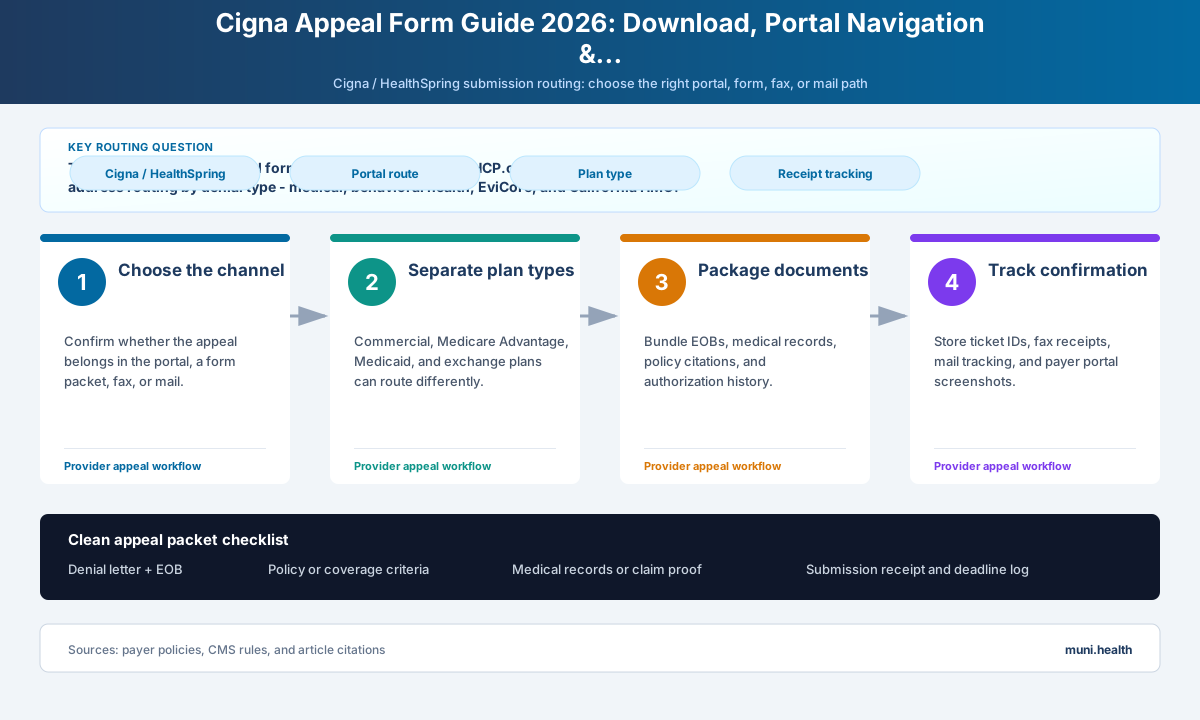
Cigna routes appeals across three distinct administrative tracks, each with its own form, submission address, and portal path:
- Medical/commercial track — covers standard claim payment disputes, coding edits, and medical necessity denials for non-behavioral services
- Behavioral health track — mental health and substance use disorder denials route through Evernorth, a separate Cigna-owned entity with its own form and mailing address
- Prior authorization / precertification track — PA decision appeals submit through Provider.Evernorth.com with a separate portal workflow, not the standard reconsideration channel
Providers who submit the wrong form or use the wrong address routinely trigger procedural denials before the appeal is reviewed on its merits. The issue is not complexity — it is knowing which track applies to each denial.
This guide covers all three form paths, the CignaForHCP.com portal walkthrough, routing by denial type, and the scenarios where no standard Cigna form applies.
The Three Cigna Provider Appeal Forms
Cigna publishes multiple appeal forms depending on the type of service and the state. Using the wrong form is one of the most common reasons appeals are returned unreviewed.
Turn this denial into a review-ready draft.
Muni prepares a payer-specific appeal, policy citations, and an evidence checklist. Your team reviews and submits it.
| Form Name | When to Use | Where to Download | Submission Address |
|---|---|---|---|
| Request for Health Care Professional Payment Review – HCP | Medical/commercial claim payment disputes, coding denials, medical necessity (non-behavioral), timely filing appeals — standard track for most states | CignaForHCP.com under Claims Resources or download at cigna.com/static/www-cigna-com/docs/appeal-request-others.pdf | Cigna Healthcare Inc. National Appeals Unit PO Box 188011 Chattanooga, TN 37422 |
| Request for Health Care Professional Payment Review – HCP (GWH-Cigna / 'G' ID card) | Same as above, but patient ID card shows 'GWH-Cigna' or a 'G' indicator — routes to a different internal processing unit | Same form — check the ID card to determine routing | Cigna Healthcare Inc. National Appeals Unit PO Box 188062 Chattanooga, TN 37422 |
| Health Care Professional Dispute Resolution Request – CA HMO | California HMO-only plans; California law requires a separate dispute resolution process for HMO enrollees | California provider portal or cigna.com California provider section | See California Dispute Resolution instructions at cigna.com/health-care-providers/coverage-and-claims/appeals-disputes/california-provider |
| Evernorth Behavioral Health Appeal Form | Mental health and substance use disorder (MH/SUD) denials; Behavioral health services reviewed under Evernorth Behavioral Health management | cigna.com/static/www-cigna-com/docs/evernorth-behavioral-appeals-form-fillable.pdf (fillable PDF); printable version also available | Evernorth Behavioral Health Central Appeals Unit PO Box 188064 Chattanooga, TN 37422 |
Check the Patient's ID Card Before Filing
The 'GWH-Cigna' or 'G' indicator on the member's ID card routes to PO Box 188062, not the standard PO Box 188011. Submitting to the wrong address delays the appeal and may restart the deadline clock. Always check the ID card before addressing your envelope or fax.
How to Submit via CignaForHCP.com (Recommended)
Online submission through CignaForHCP.com is Cigna's recommended channel for medical and commercial claim reconsiderations. When you submit online, the portal generates the appeal documentation automatically — you do not need to separately download or attach the "Request for Health Care Professional Payment Review" form.
What you need before starting:
- Active CignaForHCP.com account with Claims access and the Reconsideration entitlement — your practice's website access manager assigns entitlements; contact them if you lack access
- Claim number and denial date from your EOB or EOP
- Supporting documentation as PDFs (clinical notes, operative reports, lab results as applicable)
Step 1: Log in to CignaForHCP.com
Go to CignaForHCP.com and log in with your organization credentials. If your practice uses Provider.Evernorth.com, that portal also supports reconsideration submissions for Evernorth-managed services.
Step 2: Navigate to Claims
From the main dashboard, select Claims in the top navigation. Look for Reconsideration or Claim Reconsideration in the claims sub-menu.
Step 3: Search for the denied claim
Enter the patient's member ID, claim number, or date of service to locate the specific denial. The portal will pull the claim details and EOB information automatically.
Step 4: Select "Submit Reconsideration"
On the claim detail page, select Submit Reconsideration or the equivalent action. The portal will prompt you to select the reason for your reconsideration request.
Step 5: Select the reconsideration reason
Choose the category that matches your denial:
- Claim coding edit or bundling error
- Incorrect payment amount
- Medical necessity — clinical documentation attached
- Timely filing — proof of original timely submission attached
- Duplicate claim in error
- Prior authorization — contesting denial reason
Step 6: Upload supporting documentation and submit
Attach your supporting records as PDF files. The portal accepts individual uploads; keep each file under the system size limit. After submitting, the portal generates a confirmation number — save this immediately. The confirmation number is your timestamped proof of timely filing.
Save-Draft Functionality
If you start a reconsideration on Provider.Evernorth.com and cannot finish, you can save a draft — it remains available for five calendar days. Any user at your organization with precertification entitlement can open and complete the draft. After five days, the draft is deleted and you must restart.
How to Submit via Provider.Evernorth.com
Provider.Evernorth.com handles two categories that do not go through the standard CignaForHCP.com reconsideration workflow:
1. Precertification and prior authorization decision appeals
If Cigna or EviCore denied a prior authorization request and you are appealing that clinical decision, the appeal submits through Provider.Evernorth.com under the precertification or PA management section. This is distinct from a claim payment reconsideration.
To submit:
- Log in to Provider.Evernorth.com
- Navigate to Patient Management or Authorizations
- Locate the denied PA request
- Select Appeal This Decision
- Attach clinical documentation, Medical Coverage Policy citations, and your narrative
2. Evernorth-managed specialty services
Certain specialty services delegated to Evernorth — including some pharmacy benefit management and behavioral health administration — may also route through Provider.Evernorth.com for submission.
If you are unsure which portal applies to your denial, call Cigna Provider Services at 1-800-882-4462 and ask where to submit the appeal for that specific claim before filing.
Appeal Routing by Denial Type
Using the correct submission address is as important as filing on time. Cigna's routing matrix routes claims to different processing units, and misdirected appeals are typically returned — which loses days against your filing deadline.
| Denial Type | Submit To | Form Required | Key Note |
|---|---|---|---|
| Medical/commercial claim payment (standard plans) | CignaForHCP.com (preferred) OR PO Box 188011, Chattanooga TN 37422 | Not required online; 'Request for Health Care Professional Payment Review – HCP' for fax/mail | Check ID card — 'GWH-Cigna' or 'G' indicator routes to PO Box 188062 instead |
| Medical necessity denial (clinical review) | CignaForHCP.com reconsideration OR PO Box 188011 fax/mail | Appeal letter with Cigna Medical Coverage Policy citations; form is a cover sheet | Include the specific Cigna coverage policy number and the passage addressing the denied service |
| EviCore-reviewed denial (imaging, MSK, cardiology, oncology, sleep) | EviCore Claim Appeals PO Box 5620 Hartford, CT 06102 | No standard Cigna form — submit appeal letter to EviCore directly | Denial letter will reference EviCore as the reviewer; do not send EviCore denials to Cigna NAU |
| Behavioral health / MH/SUD denial (Evernorth) | Evernorth Behavioral Health Central Appeals Unit PO Box 188064 Chattanooga TN 37422 | Evernorth Behavioral Health Appeal Form (separate from medical form) | Download at cigna.com — the standard 'Request for Health Care Professional Payment Review' form does not route BH appeals correctly |
| HealthSpring Medicare Advantage | HealthSpring appeal form plus the fax or mailing route on the denial notice | Do not treat Availity payer ID 52192 as an appeal destination | Availity supports electronic claims and specified PA workflows; appeal filing is separate |
| Express Scripts pharmacy denial | Express Scripts, Attn: Clinical Appeals PO Box 66588 St. Louis, MO 63166-6588 (Fax: 877-852-4070) | Pharmacy-specific appeal letter | Pharmacy benefit appeals do not route to the Cigna National Appeals Unit |
| California HMO plan | Per California Dispute Resolution instructions; see cigna.com California provider page | Health Care Professional Dispute Resolution Request – CA HMO | California law requires a separate HMO dispute process; timeline and escalation rights differ from commercial plans |
When NOT to Use a Standard Cigna Form
Three common situations where the standard "Request for Health Care Professional Payment Review" form does not apply:
1. EviCore-reviewed denials
If your denial letter references EviCore Healthcare as the reviewer — typically for specialty imaging (CT, MRI, PET), MSK procedures, cardiology, oncology, or sleep studies — the appeal goes directly to EviCore, not to the Cigna National Appeals Unit. Filing at the Cigna NAU with the standard form delays the review and may result in the appeal being forwarded incorrectly or returned unprocessed.
2. HealthSpring Medicare Advantage appeals (2026)
The former Cigna Medicare Advantage business is now owned by Health Care Service Corporation (HCSC) and branded HealthSpring. Ownership does not determine the appeal channel: HealthSpring requires the applicable appeal form and the fax or mailing route on the denial notice. Availity payer ID 52192 is used for electronic claims and supported prior-authorization workflows, not as a universal appeal destination. HealthSpring also continues to delegate specified specialty prior authorizations to eviCore, so confirm the reviewing entity on the determination notice. For transition context, see the Cigna HealthSpring prior authorization guide.
3. New prior authorization requests
CoverMyMeds replaced PromptPA as Cigna's electronic PA portal. If you are submitting a new prior auth request, use CoverMyMeds at covermymeds.com — not a Cigna appeal form. The appeal forms and CoverMyMeds serve entirely different functions. For the PromptPA transition background, see the Cigna PromptPA guide.
CoverMyMeds Is for New PA Requests — Not Appeals
A common billing error after the PromptPA shutdown: teams submit appeal letters through CoverMyMeds because it was previously the PA workflow tool. CoverMyMeds does not process appeal submissions. If you submitted an appeal through CoverMyMeds, resubmit it to the correct Cigna NAU address immediately and document both submission dates.
Completing the Request for Health Care Professional Payment Review Form
When filing by fax or mail, the form functions as a structured cover sheet. Complete it fully before attaching supporting documentation:
Turn this denial into a review-ready draft.
Muni prepares a payer-specific appeal, policy citations, and an evidence checklist. Your team reviews and submits it.
- Patient information block: Member ID (from ID card), date of birth, group/plan number
- Provider information block: NPI, practice name, contact name, phone, fax, billing address
- Claim information block: Claim number, date of service, original denial date, amount billed, amount paid
- Reason for appeal checkbox: Select the most accurate reason category — Cigna reviewers use this to route the appeal to the correct department (clinical vs. coding vs. payment disputes)
- Narrative summary: A brief (3-5 sentence) statement of the appeal reason — this can reference the more detailed letter attached
- Signature block: Attending physician signature and credentials where clinical documentation supports the appeal
Attach the following documents in this order: (1) completed form, (2) original EOB or EOP, (3) denial letter, (4) supporting clinical documentation in chronological order, (5) any applicable Cigna Medical Coverage Policy printout.
How Muni Appeals Helps with Cigna Form Submissions
Cigna's three-track routing system — medical, behavioral health, and precertification — means the correct form and address differ for every denial type. For independent practices managing a volume of Cigna denials across commercial, Medicare Advantage, and EviCore-reviewed claims, consistent routing discipline is difficult to maintain manually.
Muni Appeals organizes the uploaded Cigna denial by likely track, surfaces EviCore versus NAU guidance and deadline risk, and compiles a review-ready documentation package. Staff verifies the current channel, deadline, and form before submitting.
Frequently Asked Questions
Where do I download the Cigna provider appeal form?
The standard form — "Request for Health Care Professional Payment Review" — is available at cigna.com/static/www-cigna-com/docs/appeal-request-others.pdf. The behavioral health version is available at cigna.com/static/www-cigna-com/docs/evernorth-behavioral-appeals-form-fillable.pdf. California HMO providers use a separate dispute form available through Cigna's California provider portal.
Do I need to download the form if I submit online?
No. When you submit a reconsideration through CignaForHCP.com or Provider.Evernorth.com, the portal generates the required documentation automatically. The downloadable PDF form is only required for fax and mail submissions.
What is the "GWH-Cigna" or "G" indicator on the ID card?
GWH-Cigna plans route to a different Cigna processing address: PO Box 188062, Chattanooga, TN 37422 — instead of the standard PO Box 188011. The difference appears on the patient's ID card. If the card shows "GWH-Cigna" anywhere or a "G" plan indicator, use PO Box 188062 for all fax and mail submissions.
How do I appeal a Cigna behavioral health denial?
Behavioral health and substance use disorder denials are managed by Evernorth, not the standard Cigna National Appeals Unit. Use the Evernorth Behavioral Health Appeal Form (fillable PDF at cigna.com) and submit to: Evernorth Behavioral Health Central Appeals Unit, PO Box 188064, Chattanooga, TN 37422. Do not use the standard "Request for Health Care Professional Payment Review" form for behavioral health denials.
How long does Cigna take to decide an appeal?
For commercial plans: 30 days for pre-service (before the service is rendered) and 60 days for post-service (payment disputes after the claim was processed). Notification of the decision must be issued within 75 business days of receipt. For Medicare Advantage: 30 days standard, 72 hours expedited. If Cigna misses its response deadline, call 1-800-882-4462 to request expedited resolution.
What if the EviCore denial letter doesn't include the EviCore appeals address?
Call EviCore directly at 1-888-693-3211 to confirm the correct appeals submission address for your claim. The standard EviCore Claim Appeals address is PO Box 5620, Hartford, CT 06102, but EviCore may use different routing for certain service types. Always confirm if the denial letter is unclear.
Can I submit a Cigna appeal by email?
No. Cigna does not accept provider appeal submissions by email. The accepted channels are CignaForHCP.com (online portal), Provider.Evernorth.com (precertification and Evernorth services), fax to the number on your denial letter, or mail. For submission channel details, the Cigna appeal submission guide covers fax numbers, standard mail addresses, and channel selection by plan type.
What is the deadline to appeal a Cigna denial?
Commercial plans: 180 days from the date of the initial payment denial notice or last payment adjustment. Medicare Advantage: 65 days from the organization determination. Medicare Part D: 60 days from the coverage determination. Level 2 appeal: 60 days from the Level 1 decision. For a full breakdown by plan type including state exceptions and timely filing denial appeals, see the Cigna timely filing limits guide.
Ready to Submit Cigna Appeals Without Procedural Returns?
Cigna's three-track routing system is one of the more involved in the commercial insurance market — separate forms and addresses for medical denials, behavioral health denials, EviCore-reviewed denials, and HealthSpring Medicare Advantage PAC services. Getting the form right is the first step; getting the routing right is what determines whether the appeal reaches a reviewer.
Get Started:
- Routing by denial type flagged before submission
- 180-day commercial and 65-day MA deadlines tracked separately
- EviCore and Evernorth routing handled automatically
- Documentation packages organized in correct submission order
This guide reflects 2026 Cigna Healthcare provider appeal form procedures and submission routing. Form download locations, mailing addresses, and portal requirements are subject to change. Always verify the submission address and fax number on your specific denial letter before filing. GWH-Cigna routing, Evernorth behavioral health procedures, and California HMO dispute processes have plan-specific requirements not fully covered here — contact Cigna Provider Services at 1-800-882-4462 to confirm routing when uncertain. HealthSpring is owned by Health Care Service Corporation, not Cigna; use the applicable HealthSpring appeal form and the fax or mailing instructions on the denial notice.